


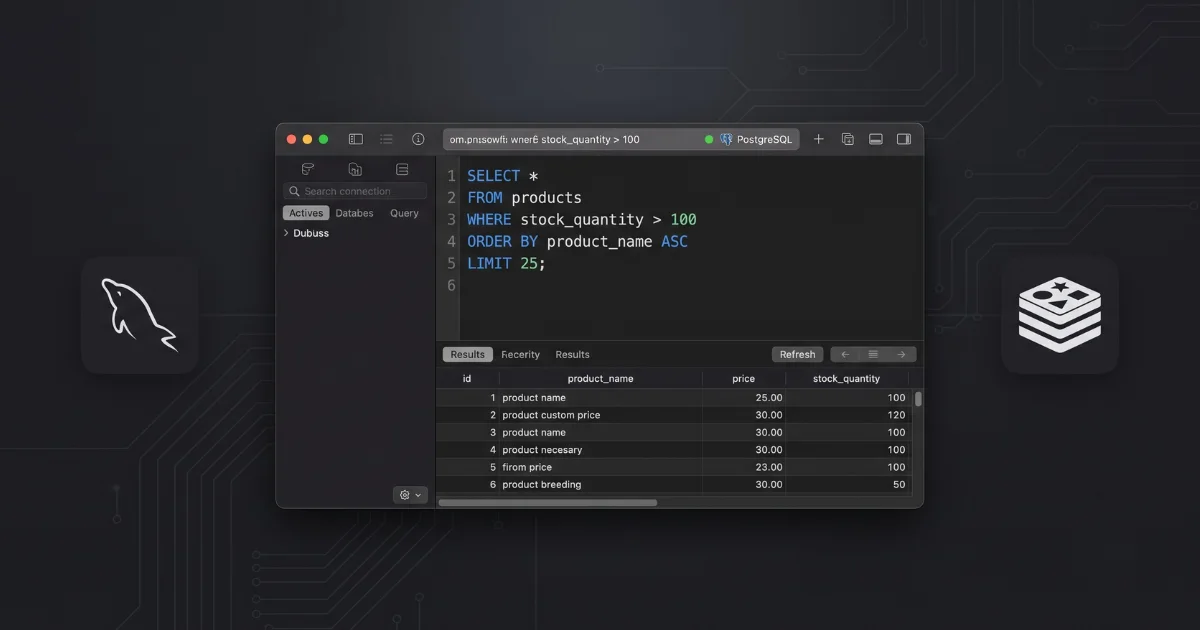
When you are debugging an Express backend and need to quickly verify if an API endpoint successfully inserted a record, the last thing you want is to wait for a bloated Java application to spin up. You just need to see the data, run a quick query, and get back to your code.
For years, the database GUI market was dominated by sluggish, resource-heavy enterprise tools. Then came TablePlus. It promised precision and simplicity—a native application that respects your system resources and doesn’t require a manual to operate.
But is it worth paying for a premium license when open-source giants like DBeaver exist? Here is the honest breakdown of why TablePlus has become the go-to for modern developers, and exactly where it falls short.
The “Why” vs. The “What”
It is easy to list TablePlus features: it supports PostgreSQL, MySQL, Redis, and a dozen other drivers. It has built-in SSH tunneling. But the what isn’t as important as the why.
TablePlus matters because it gets out of your way. If you have ever suffered through a cross-platform GUI locking up while loading a massive table, you will immediately notice the difference here. Because TablePlus is written natively (using Swift for macOS and C# for Windows), it launches instantly and handles heavy data grids without turning your laptop fans into jet engines.
The “Safe Mode” is another workflow lifesaver. When you are manually tweaking a production database—something we all do, despite best practices—TablePlus highlights your changes and forces you to explicitly commit them before execution. It’s a simple guardrail that prevents you from accidentally dropping a critical table.
Explore the TablePlus free tier here
The Drawbacks: Let’s Be Candid
TablePlus is brilliant, but it is not flawless. If you want absolute trust, you need to know the pain points:
The Free Tier is Constricting: The free version limits you to two open tabs and two windows at a time. If you are working on a complex database architecture lab report or cross-referencing multiple tables, hitting that limit becomes incredibly frustrating. You will eventually have to buy the basic license.
The Linux Experience is Second-Class: If you are running Ubuntu as your daily driver, manage your expectations. While the macOS app is a masterclass in UI design, the Linux build has historically suffered from bugs, crashes, and missing features compared to its Apple counterpart.
No Cloud Sync: Your database connections and SSH keys are stored locally. If you switch between a desktop and a laptop, you are setting everything up twice.
The “Better Alternatives” Comparison
How does TablePlus stack up against the other industry heavyweights in 2026?
Database GUI | Pricing | Key Feature Advantage | Best For |
TablePlus | Free limited tier / $99 one-time | Native, lightning-fast performance | Developers who want a minimalist, distraction-free interface. |
DBeaver | Free (Open Source) / $25/mo Pro | Supports virtually every database in existence | Enterprise engineers who need raw feature depth over aesthetics. |
DataGrip | $229/year (JetBrains) | Unmatched SQL autocomplete and refactoring | Power users heavily invested in the JetBrains ecosystem. |
TablePlus vs. DBeaver
DBeaver is the open-source king. It connects to anything you throw at it and boasts an incredibly deep feature set. However, DBeaver is built on Java. It feels heavy, the UI is cluttered with buttons you will never click, and it consumes significantly more memory. If you value precision, an uncluttered aesthetic, and snappy performance, TablePlus wins easily. If you refuse to pay for software and need to connect to obscure legacy databases, DBeaver is your tool.
Download DBeaver Community Edition here
TablePlus vs. DataGrip
DataGrip is a powerhouse. Because it is made by JetBrains, it has the best SQL autocomplete, schema awareness, and error detection on the market. But it is essentially an entire IDE dedicated to databases, which means it is overkill for most backend developers who just want to quickly inspect a table. Plus, DataGrip locks you into a recurring yearly subscription, whereas TablePlus offers a one-time purchase for the major version.
The Final Verdict
If you treat your tools as an investment in your daily productivity, TablePlus is arguably the best relational database GUI available right now. The native speed, the built-in SSH tunneling, and the absolute lack of visual clutter make writing queries and managing data a frictionless experience.
If you are on macOS or Windows, it is worth the license fee. If you are exclusively on Linux or need to manage highly obscure databases, you might want to stick with DBeaver.
Check current TablePlus licensing options here
Affiliate Disclosure: This post contains affiliate links. If you purchase a premium subscription through these links, infodizest earns a commission at no additional cost to you. We only review and recommend tools that have been thoroughly tested in our live development environments.









Responses (0 )